
Identify the network before the asset
The same asset name can appear on different networks, and similar EVM addresses do not mean identical chain state. Check the network, token contract and gas asset.
Understand multi-chain →Move from asset views and network selection to sending, receiving and DApp access with a clear understanding of what each action does. imtoken also explains approvals, network mechanics and wallet security so important decisions happen only after the address, chain, amount and permission have been reviewed.
Understand how addresses and keys are created and initialize a wallet in a trusted environment.
Start here →Keep the seed phrase offline, preserve the exact order and avoid chats, cloud notes and screenshots.
Backup principles →Confirm the network before sharing an address so both sides use the same chain.
Receive guide →Review the address, network, amount and gas, then keep the transaction hash for verification.
Send checklist →Verify the domain, account and network and make a fresh decision for every signature and approval.
Connection guide →A wallet is more than a balance screen. Addresses, networks, gas, transaction hashes, contracts and approvals shape the full on-chain workflow.
The same asset name can appear on different networks, and similar EVM addresses do not mean identical chain state. Check the network, token contract and gas asset.
Understand multi-chain →Confirm the network before receiving and add address, amount and fee checks before sending. Use the transaction hash afterward.
Transfer guide →Review assets, manage networks and inspect transaction history on mobile while treating each DApp request as a separate decision.
Explore the App →Browser connectivity supports DApp access without asking for a seed phrase or private key. Connections, signatures and approvals are different actions and should be reviewed independently.
Web access → Security center →Public chains, EVM networks and Layer 2 systems have their own fees, confirmations and state. All text remains available even without scripts.
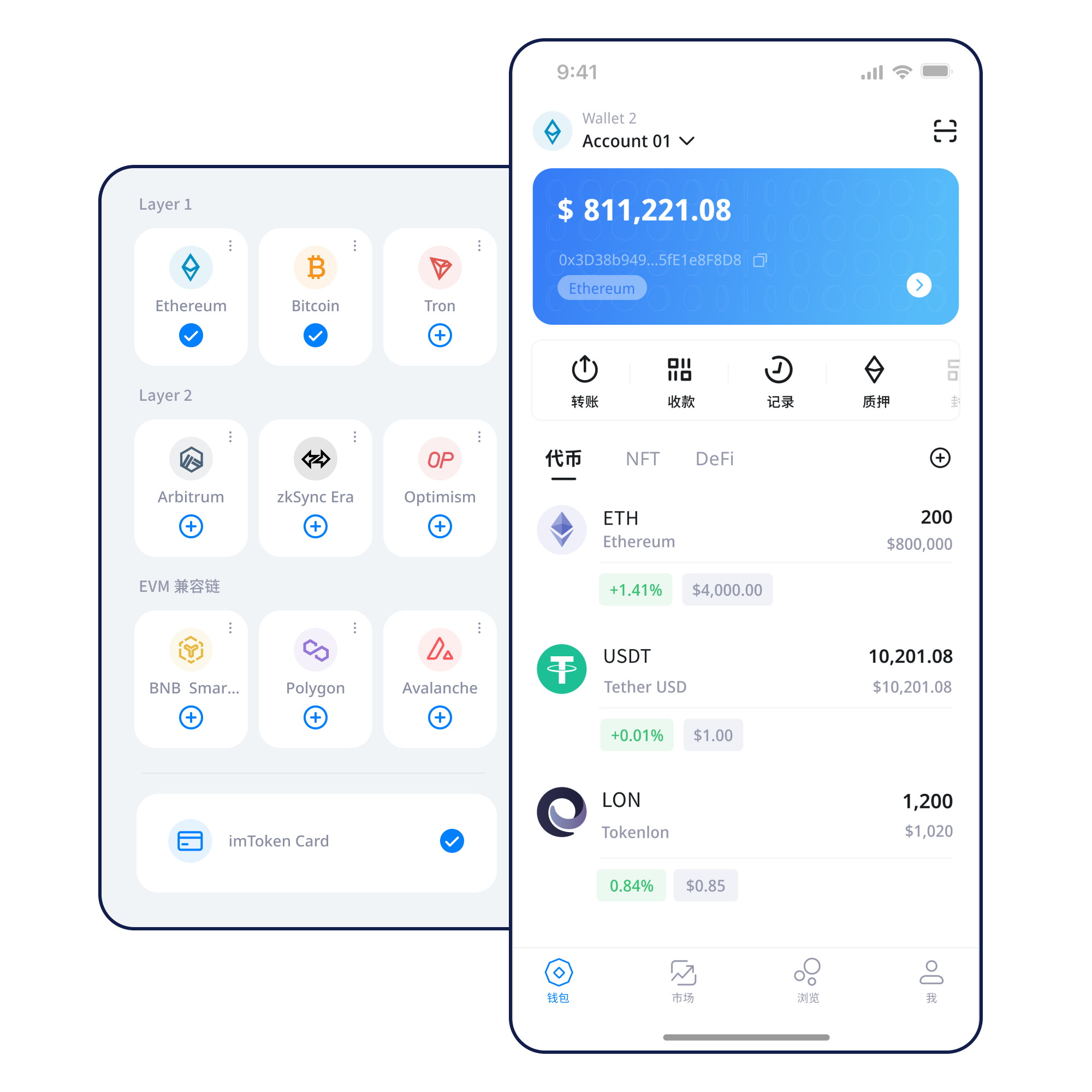
A multi-chain wallet organizes several networks, but every asset still belongs to a specific chain. Confirm the active network before transfers, token additions or DApp use.
Read more →Nodes, blocks, transactions and confirmations maintain a public ledger, while block explorers help verify public state.
Public chain basics →
EVM-compatible chains can share account and contract models while keeping chain IDs, gas assets and state separate.
Understand EVM →
Layer 2 systems scale activity alongside a main chain; moving assets across layers can involve bridges, waiting and extra confirmations.
Explore Layer 2 →
Gas pays for on-chain resources, while confirmation follows the network’s block and consensus rules. A higher fee cannot guarantee an exact completion time.
Gas guide →Use a trusted entry point and avoid unknown installers from direct messages or ads.
Create or import only in trusted wallet software and never submit a seed phrase to a web form.
Keep the recovery phrase offline and never disclose a private key to another person.
Identify where the asset lives, the destination network and the native gas asset.
Check address, network and amount; consider a small test for a new route.
Inspect DApp requests before signing, verify transaction hashes afterward and remove permissions you no longer need.
Connecting a wallet does not mean every later request should be accepted. Review each signature and approval on its own.
Wallet security combines key custody, device hygiene, network selection and deliberate decision-making. Seed phrases and private keys stay with the user, and imtoken staff will not ask for them. Review the destination, network and amount before sending, and review each DApp signature and approval independently. Most confirmed blockchain transactions cannot be reversed by a wallet provider, and third-party contracts may carry their own risks.
Open Security Center
Addresses identify accounts; seed phrases and private keys determine control; networks determine where assets actually exist; gas pays for on-chain actions; transaction hashes let you inspect status; and DApps use connections, signatures and approvals to interact with wallets. These foundations make later topics such as EVM, Layer 2 and smart contracts easier to judge in context.
Start learning →How nodes, block height and confirmations shape transaction status.
The relationship between addresses, gas, tokens and approvals.
Main chains, bridges, cross-layer movement and waiting periods.
Understand spenders, allowances and revocation.
Ethereum proof of stake uses validators for block proposals and attestations. Rewards, network status, exits and withdrawals follow protocol rules rather than a fixed return.
Ethereum staking →Validators can face network penalties; exits can involve queues; smart contracts, third-party services and asset-price volatility add additional risks.
PoS & validators →Understand network checks, chain IDs, gas and block explorers.
A legitimate support flow does not require wallet secrets.
Connection, signing and approval are distinct actions.
Bridging, exits and arrival time depend on the network design.